
How to configure custom domain using Gandi?
Open DNS settings
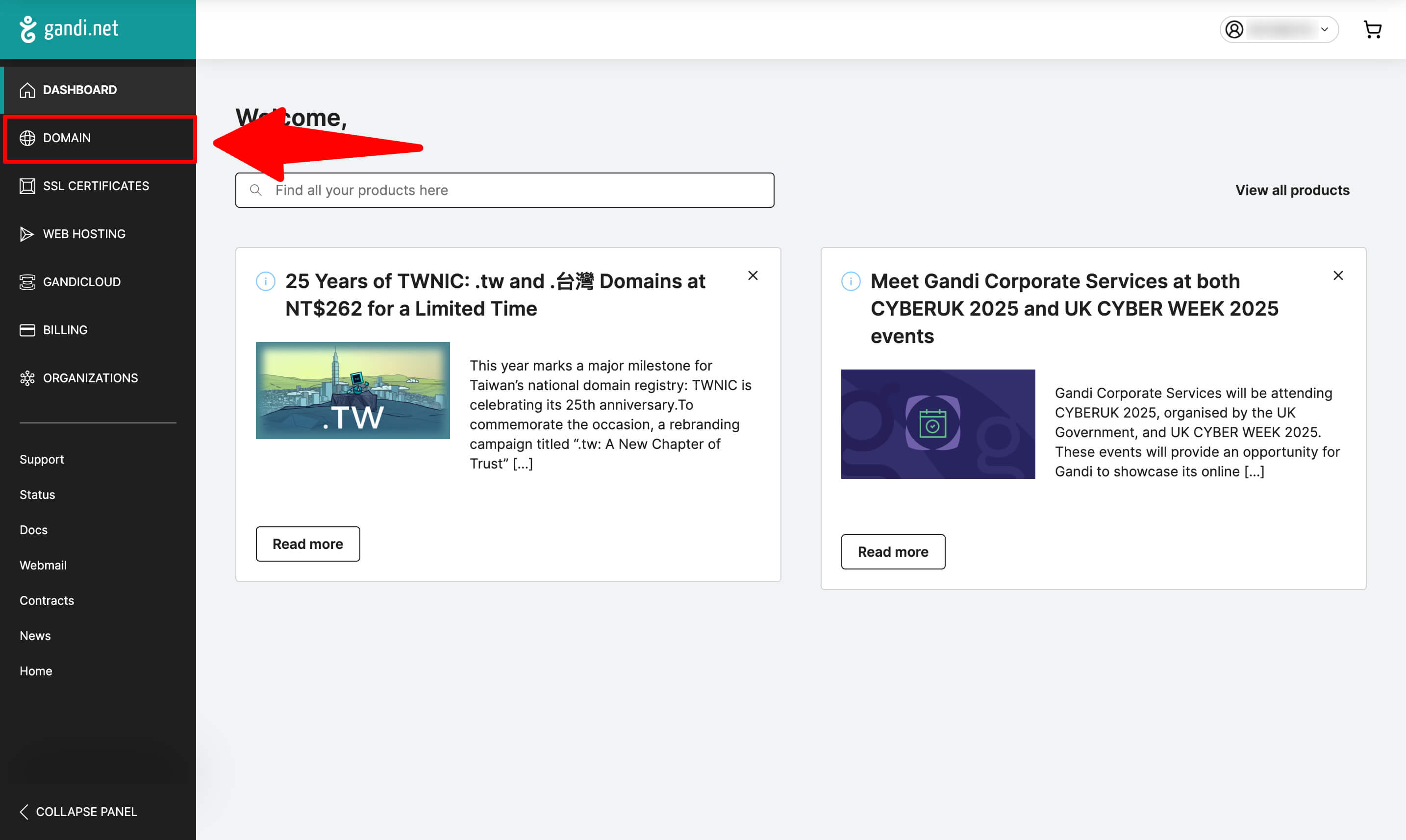
- Go to "Domain" tab.
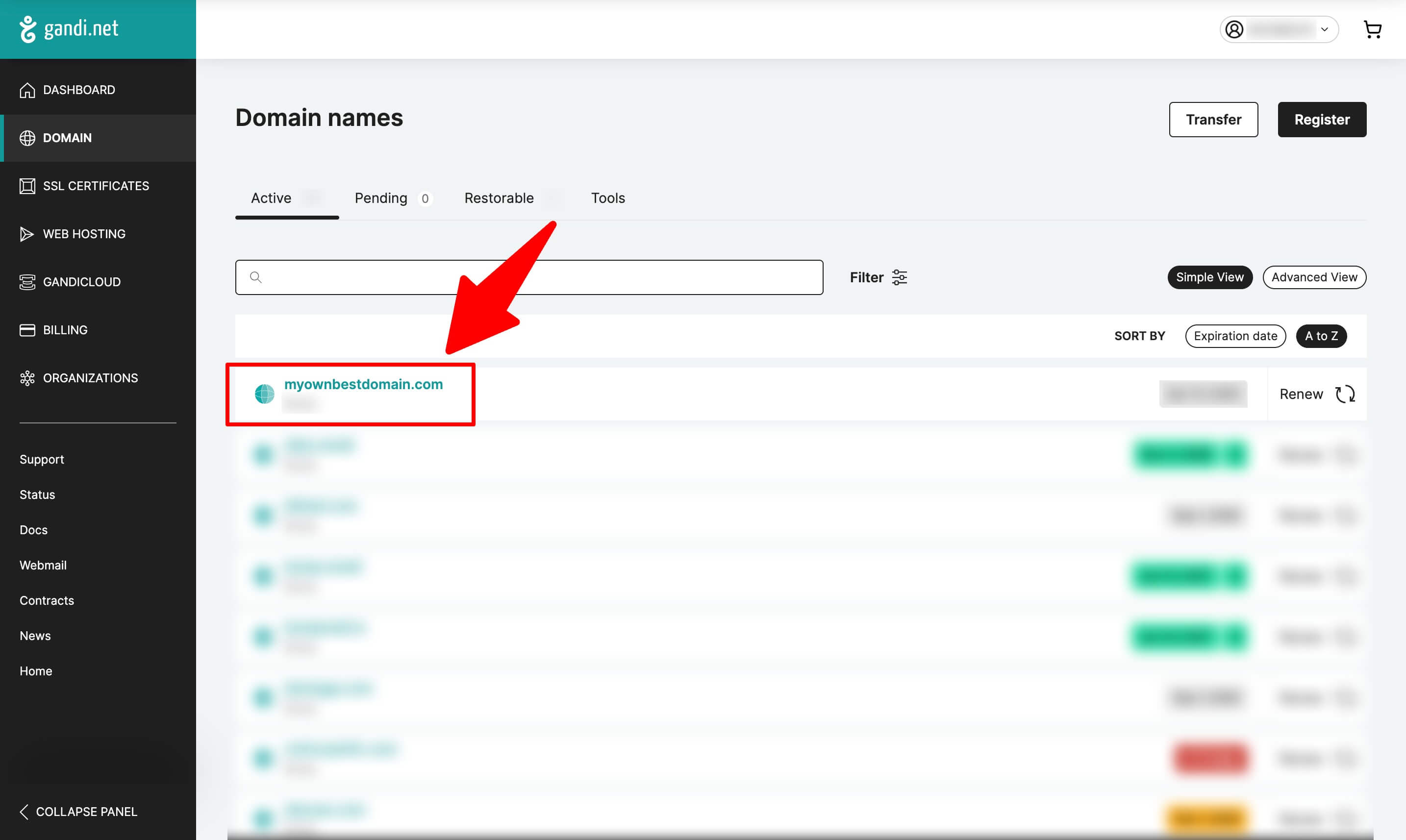
- Click on your domain.
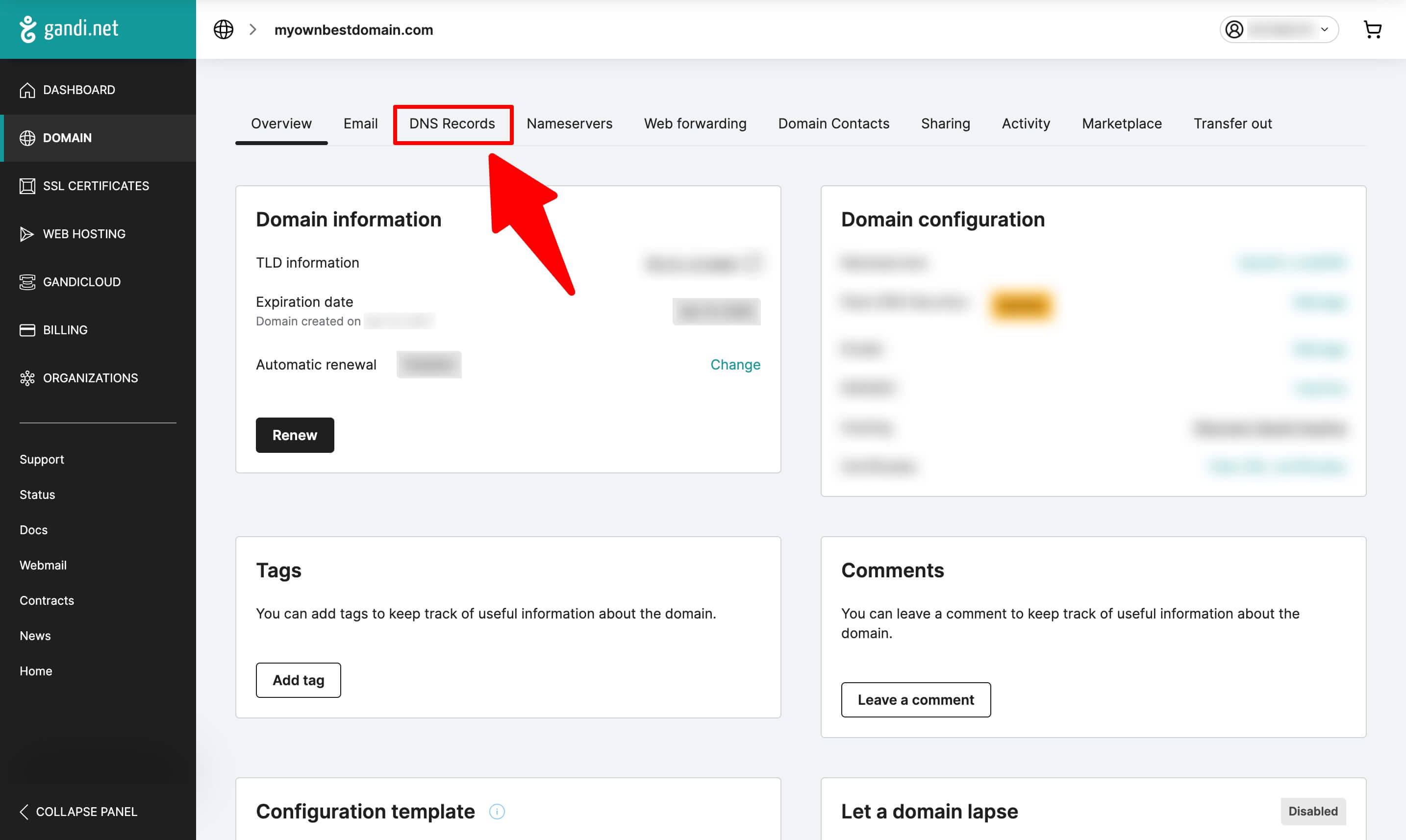
- Click on "DNS records" tab.
Add MX records
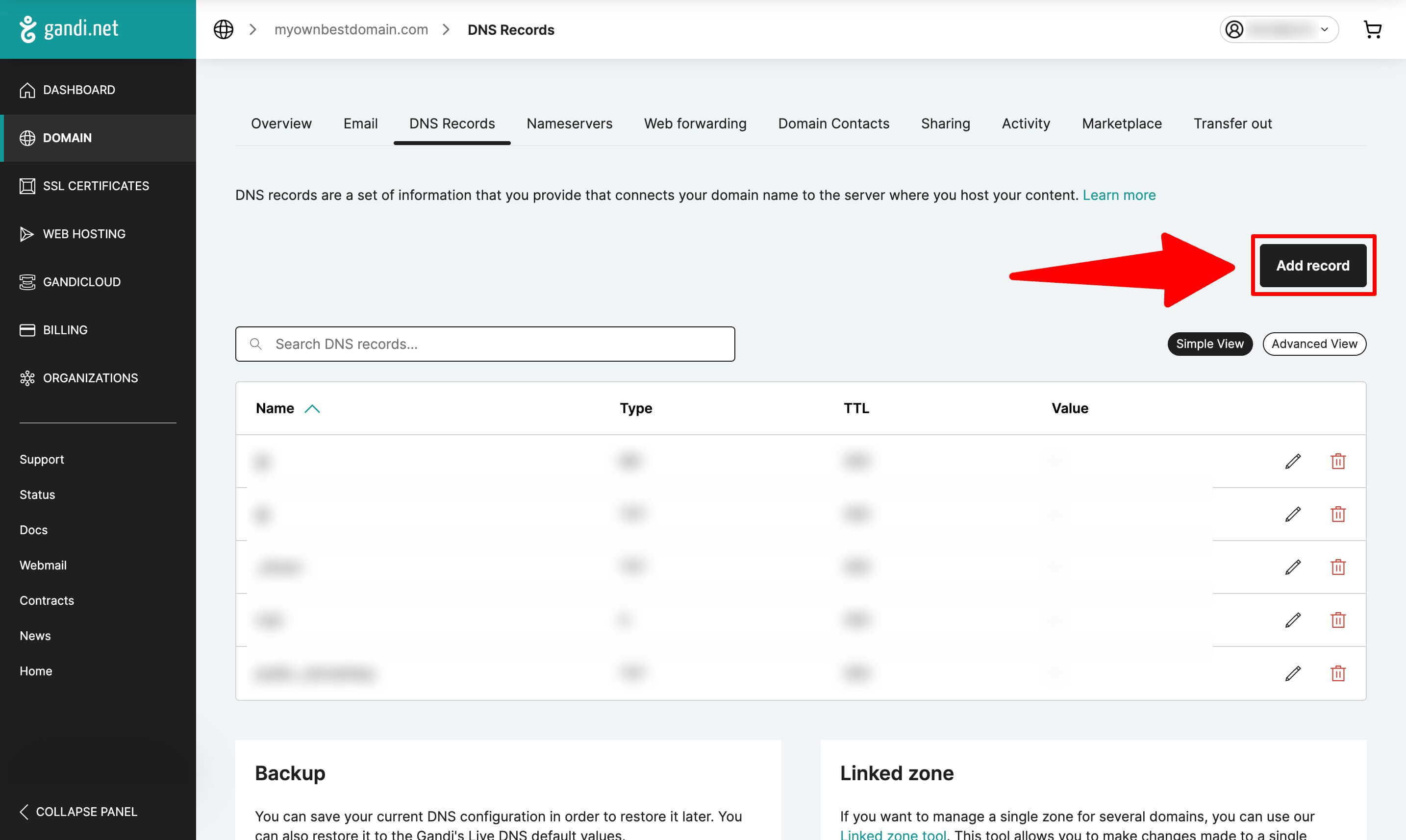
- Click on "Add record" button.
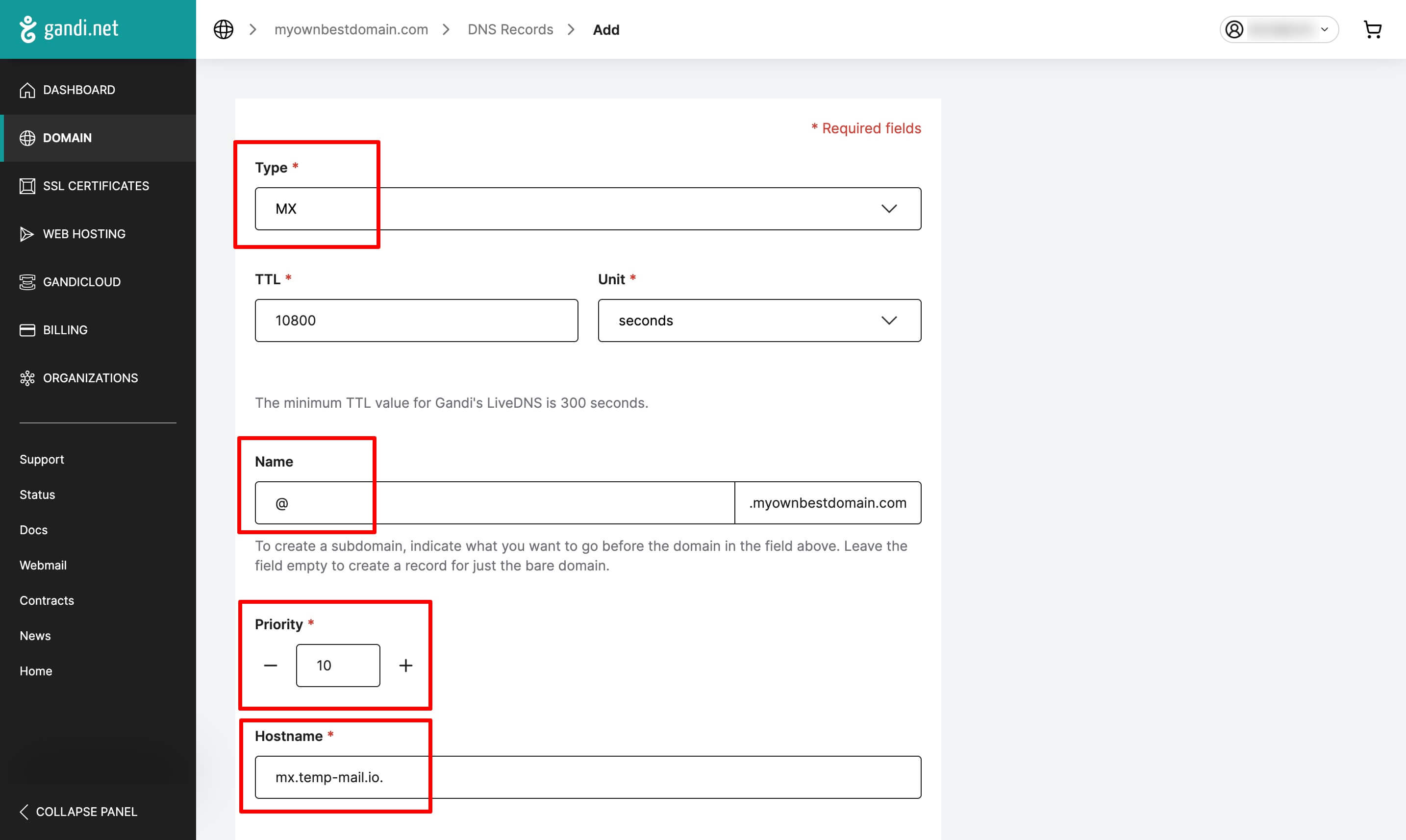
- Select "MX" record type, fill out the form and click on "Create" button.
Full information about DNS records for your custom domain you can find on Custom Domains page. If you need more information, you can read instruction how to add custom domain.
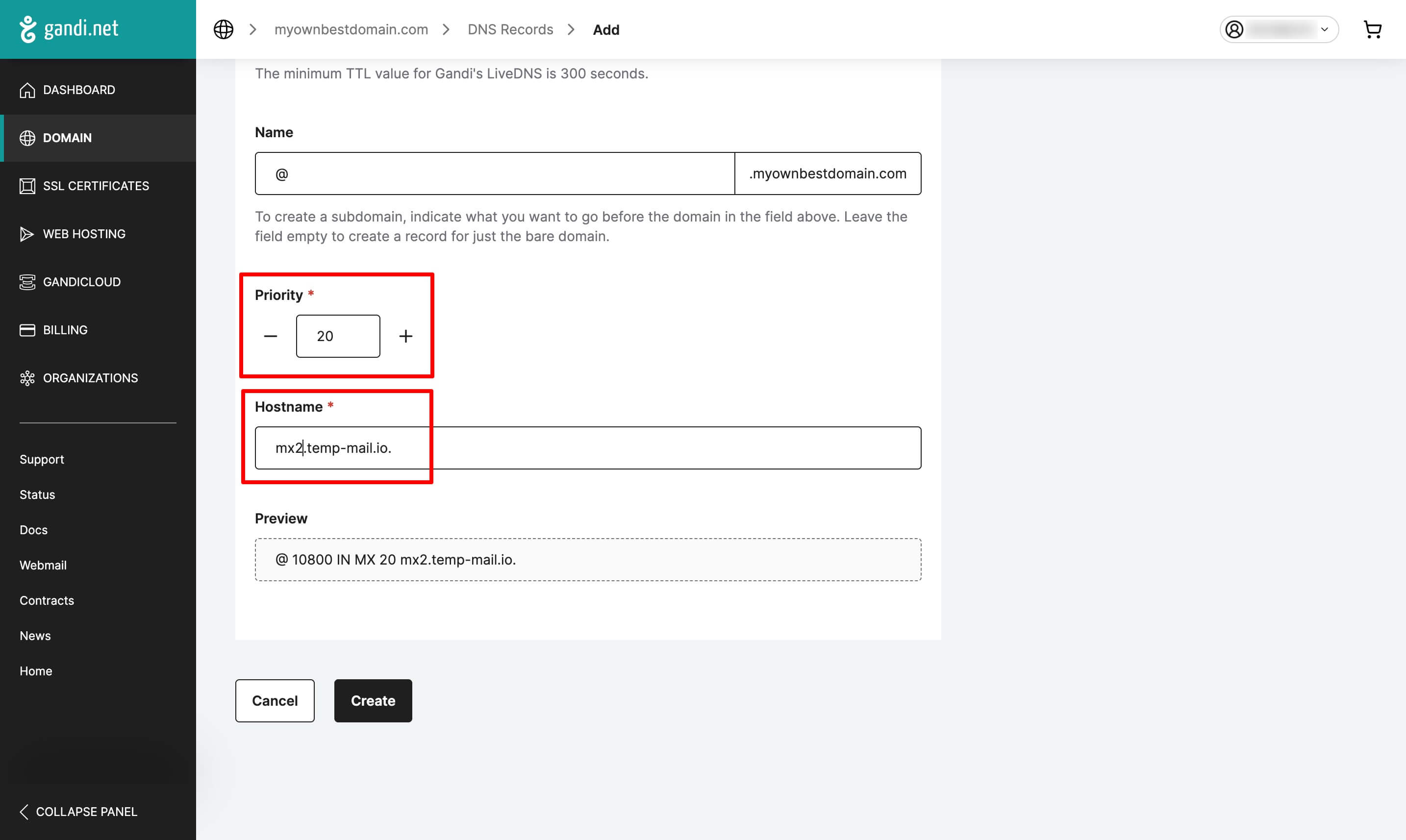
- Repeat this process for the second record. Don't forget to use different values for the priority and the hostname.
Verify the result
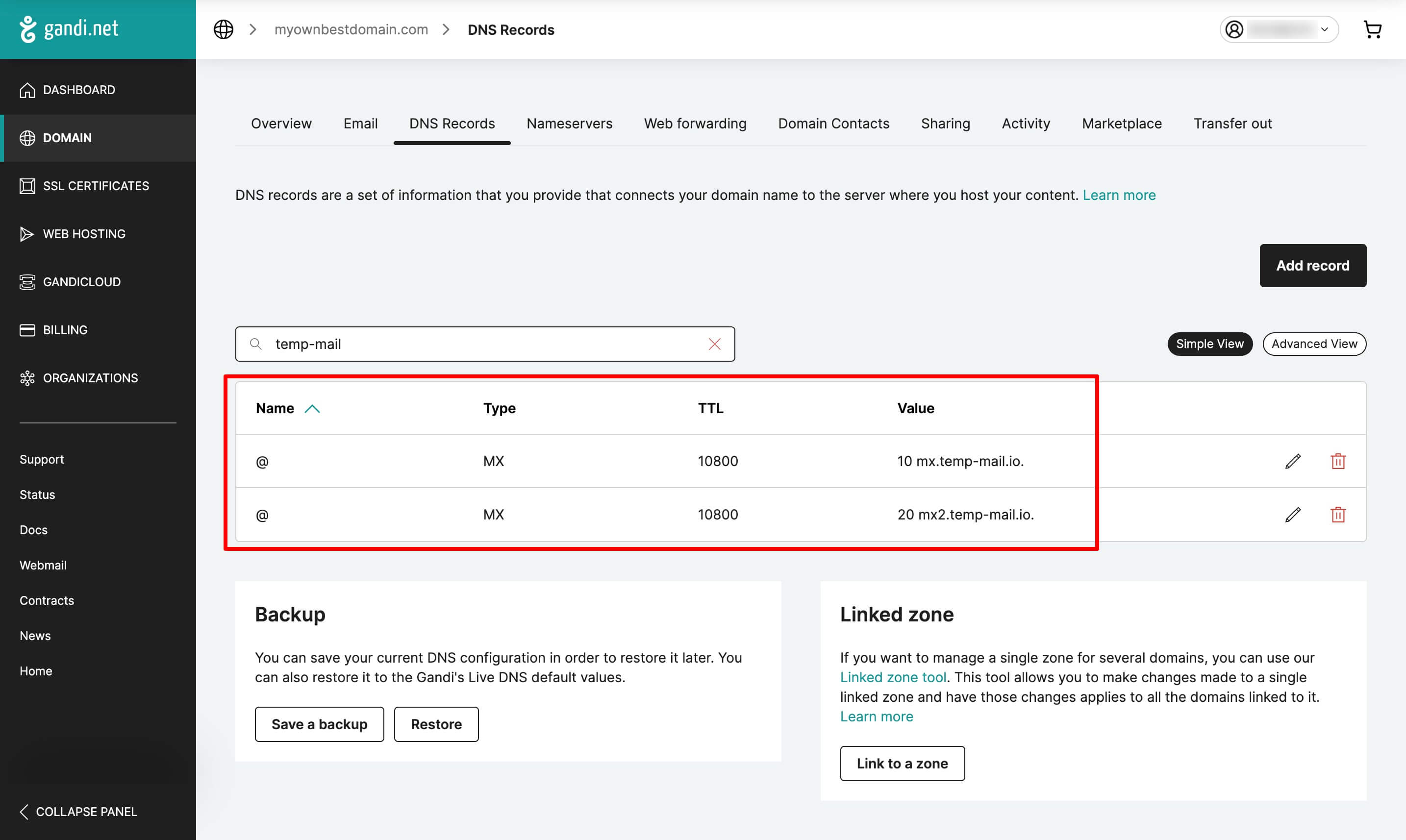
In the end, you should see two new MX records in the list.
Done! You have configured your domain. Now you can use your custom domain for temporary email addresses.